

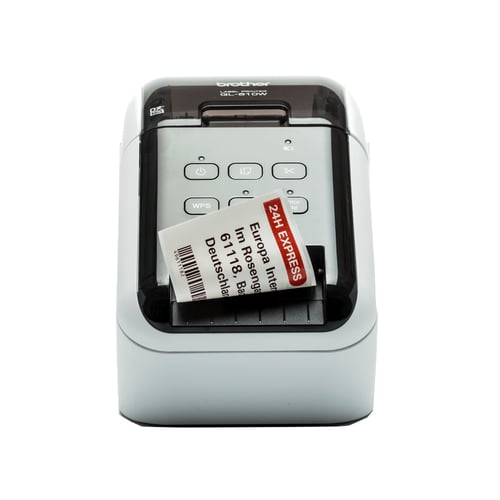
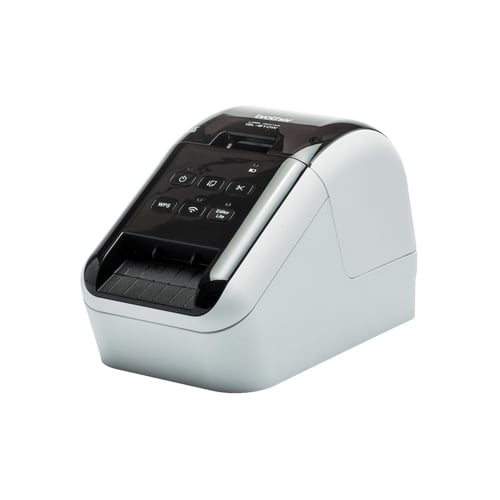
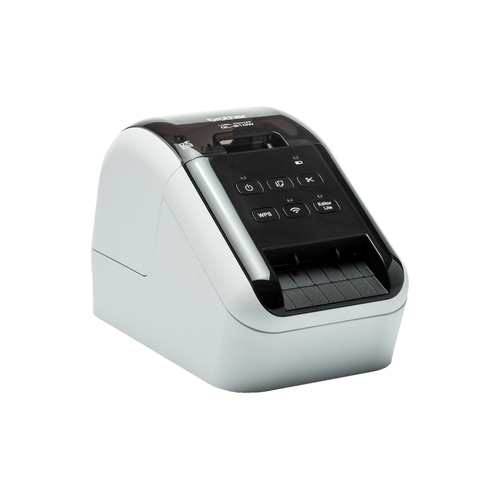
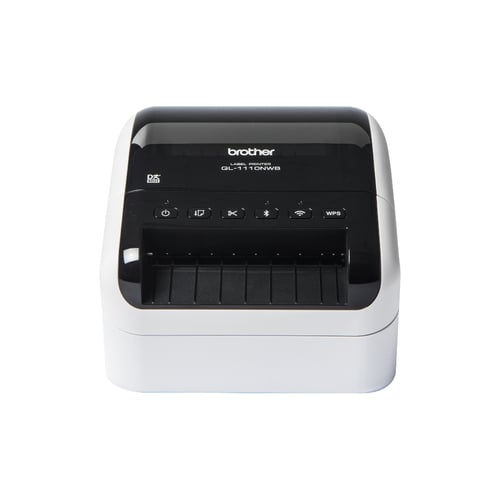
 Brother QL-1110NWBC label printer Direct thermal 300 x 300 DPI 110 mm/sec Wired & Wireless DK Wi-Fi
£234.84 incl. VAT
Brother QL-1110NWBC label printer Direct thermal 300 x 300 DPI 110 mm/sec Wired & Wireless DK Wi-Fi
£234.84 incl. VAT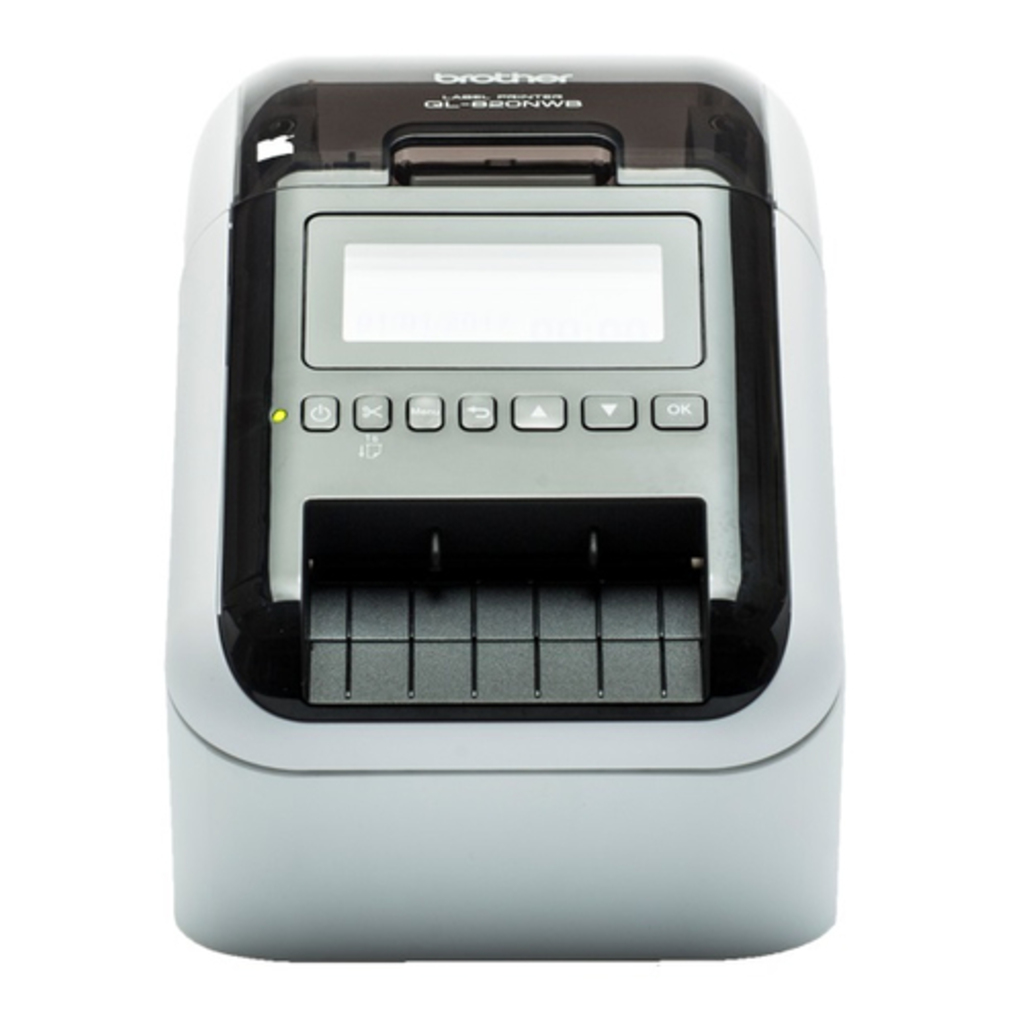 Brother QL-820NWBC label printer Direct thermal Colour 300 x 600 DPI 176 mm/sec Wired & Wireless
£239.88 incl. VAT
Brother QL-820NWBC label printer Direct thermal Colour 300 x 600 DPI 176 mm/sec Wired & Wireless
£239.88 incl. VATBrother QL-810WC label printer Direct thermal Colour 300 x 600 DPI 176 mm/sec Wired & Wireless
£146.14 incl. VAT
11 in stock
Free delivery by Tuesday 29 September

MPN: QL-810Wc
4977766827034
Large range of labels for any application
The QL series label printers use Brother DK rolls – that easily slot-in for fast label changes. Several types are available:
– Pre-sized die-cut adhesive labels in paper and plastic film material.
– Continuous adhesive labels in paper and plastic film material that can be cut to the length you need (up to 1 metre).
– Non-adhesive card ideal for receipts and name badges.
– Removeable adhesive for repositionable labels.
Optional Li-ion battery base
There are situations where you may need to print labels away from a power source, such as use on a portable trolley and printing from a tablet in retail, healthcare or similar industries. The optional Li-ion battery base has a fast charge function, and lasts for thousands of labels on a full charge.
Print any size labels, in black and red
Rolls are available in a range of traditional die-cut (pre-sized) labels, or continuous that lets the built-in cutter cut your label to the precise length (up to one metre). And now you can draw attention to important information by including red* on your labels too – ideal for highlighting use-by dates, allergens and other critical information.
Print from PC, Mac, iOS and Android devices
Choose from several options for designing and printing labels. Download for free the P-touch Editor label design software for PC and Mac to design labels with text, barcodes, images and frames. Alternatively, head on over to your app store to download the free iPrint & Label app for iOS and Android, then quickly create and print labels from your mobile devices, wirelessly.
Print labels the way you want
This advanced label printer is designed for the demands of a busy workplace, yet easy to set-up and use. Using the same technology as USB pen drives, simply connect to your PC or Mac, and run the built- in software. No need to install printer drivers. Alternatively download the free P-touch Editor label design software and printer drivers to design and print fully customised labels containing text, frames, barcodes and images. And easily share the printer with colleagues over your wireless network using P-touch Editor Lite LAN software.
Works with Microsoft Word/Excel/Outlook
Highlight, click and print your text data directly from Word, Excel and Outlook with just a click! The P-touch Editor add-in for Microsoft Office (Windows only) allows you to print labels with the information you use every day. Alternatively, if you have text saved in an Excel or .csv file, import this into P-touch Editor and simply place each field on your label layout to print many labels with the same format (design). Ideal for printing address, product and pricing labels.
Large range of labels for any application
The QL series label printers use Brother DK rolls - that easily slot-in for fast label changes. Several types are available:
- Pre-sized die-cut adhesive labels in paper and plastic film material.
- Continuous adhesive labels in paper and plastic film material that can be cut to the length you need (up to 1 metre).
- Non-adhesive card ideal for receipts and name badges.
- Removeable adhesive for repositionable labels.
Optional Li-ion battery base
There are situations where you may need to print labels away from a power source, such as use on a portable trolley and printing from a tablet in retail, healthcare or similar industries. The optional Li-ion battery base has a fast charge function, and lasts for thousands of labels on a full charge.
Print any size labels, in black and red
Rolls are available in a range of traditional die-cut (pre-sized) labels, or continuous that lets the built-in cutter cut your label to the precise length (up to one metre). And now you can draw attention to important information by including red* on your labels too - ideal for highlighting use-by dates, allergens and other critical information.
Print from PC, Mac, iOS and Android devices
Choose from several options for designing and printing labels. Download for free the P-touch Editor label design software for PC and Mac to design labels with text, barcodes, images and frames. Alternatively, head on over to your app store to download the free iPrint & Label app for iOS and Android, then quickly create and print labels from your mobile devices, wirelessly.
Print labels the way you want
This advanced label printer is designed for the demands of a busy workplace, yet easy to set-up and use. Using the same technology as USB pen drives, simply connect to your PC or Mac, and run the built- in software. No need to install printer drivers. Alternatively download the free P-touch Editor label design software and printer drivers to design and print fully customised labels containing text, frames, barcodes and images. And easily share the printer with colleagues over your wireless network using P-touch Editor Lite LAN software.
Works with Microsoft Word/Excel/Outlook
Highlight, click and print your text data directly from Word, Excel and Outlook with just a click! The P-touch Editor add-in for Microsoft Office (Windows only) allows you to print labels with the information you use every day. Alternatively, if you have text saved in an Excel or .csv file, import this into P-touch Editor and simply place each field on your label layout to print many labels with the same format (design). Ideal for printing address, product and pricing labels.
Specs
| Printing | |
|---|---|
| Print technology | Direct thermal |
| Colour | ✓ |
| Maximum resolution | 300 x 600 DPI |
| Print speed | 176 mm/sec |
| Print speed | 110 lpm |
| Maximum print height | 5.8 cm |
| Minimum print length | 100 cm |
| Vertical printing | ✓ |
| Rotated printing | ✓ |
| Text alignment | Center, Left | Paper handling |
| Autocutter | ✓ |
| Maximum label width | 6.2 cm |
| Maximum label length | 4 m | Ports & interfaces |
| Connectivity technology | Wired & Wireless |
| Ethernet LAN | ✓ |
| Wi-Fi | ✓ |
| Wi-Fi standards | 802.11b, 802.11g, Wi-Fi 4 (802.11n) |
| USB port | ✓ |
| USB 2.0 ports quantity | 1 | Performance |
| Page description languages | ESC P, Raster_P |
| Flash memory | 6 MB |
| Built-in barcodes | CODABAR (NW-7), Code 128 (A/B/C), Code 39, Code 93, Data Matrix, EAN128, EAN13, EAN8, GS1 DataBar, GS1 DataBar Expanded, GS1 DataBar Limited, GS1-128, ISBN-2, ISBN-5, ITF-25, MaxiCode, Micro QR Code, MicroPDF417, PDF417, POSTNET, QR Code, UPC-A, UPC-E |
| Number of fonts | 5 |
| Tape type | DK |
| Security algorithms | AES, EAP-FAST, EAP-TLS, EAP-TTLS, LEAP, PEAP, TKIP, WEP, WPA-PSK, WPA2-AES, WPA2-PSK, WPA2-TKIP |
| Tape size detection | ✓ |
| Design | |
|---|---|
| Product colour | Black, White | Power |
| Battery technology | Lithium-Ion (Li-Ion) |
| Auto power off | ✓ | System requirements |
| Windows operating systems supported | ✓ |
| Mac operating systems supported | ✓ |
| Linux operating systems supported | ✓ | Weight & dimensions |
| Width | 125 mm |
| Depth | 234 mm |
| Height | 145 mm |
| Weight | 1.12 kg | Packaging data |
| Package width | 298 mm |
| Package depth | 184 mm |
| Package height | 232 mm |
| Package weight | 2.66 kg | Packaging content |
| Cables included | AC, USB |
| Bundled software | P-touch Editor Lite P-touch Editor 5 P-touch Editor Lite LAN P-touch Address Book BR Admin Light | Technical details |
| Sustainability certificates | ENERGY STAR |
Additional information
| EAN | 4977766827034 |
|---|---|
| Product type | Label Printers |
| Print technology | |
| Connectivity | |
| Brand | Brother |

Reviews
There are no reviews yet.